FaucetPay API Setup Guide
A step-by-step tutorial to configure your FaucetPay API key and integrate it securely into your project's dashboard.
1
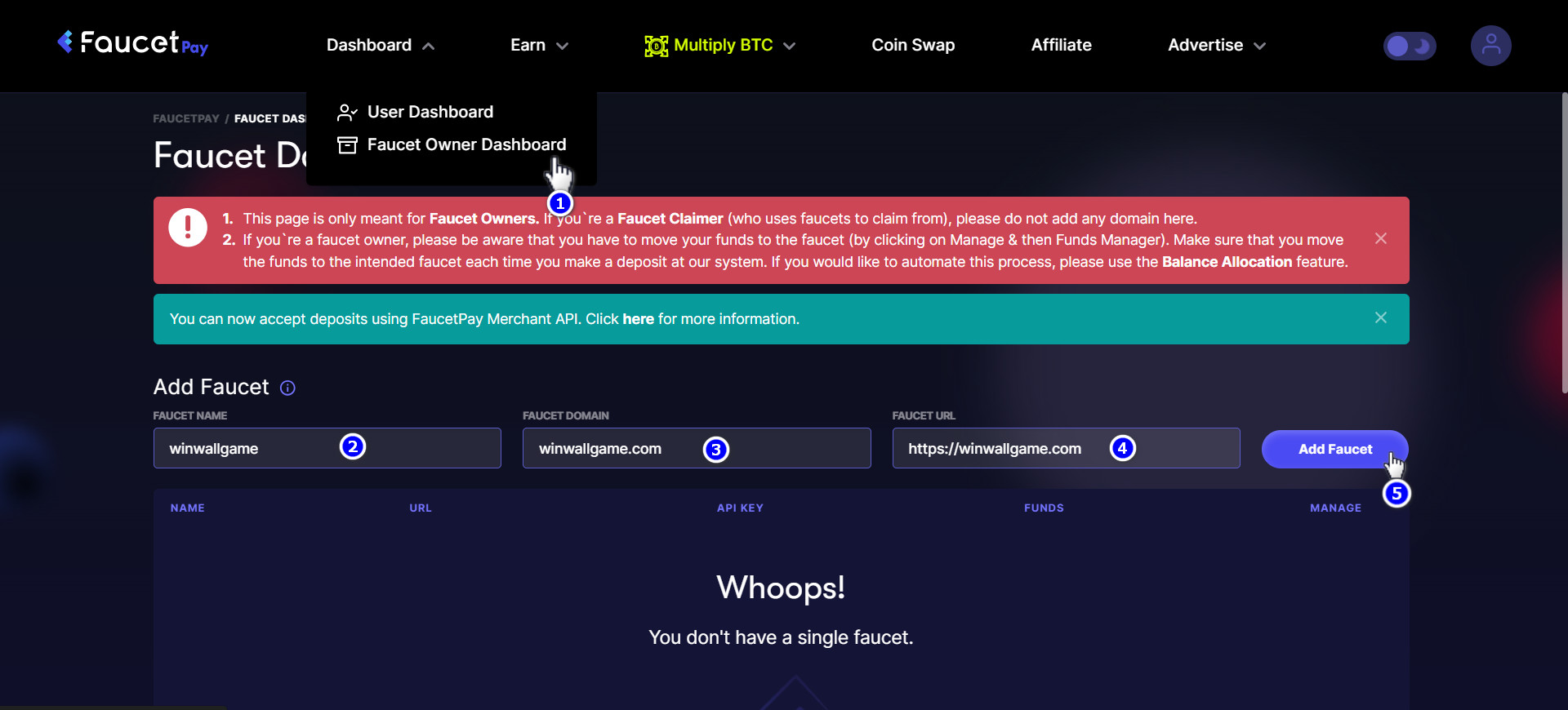
Create API Key from FaucetPay
The first step is to generate an API Key directly from your FaucetPay account dashboard.
- Visit FaucetPay.io and log in to your account.
- Navigate to the API section in your dashboard or account settings.
- Click on the option to create a new API Key for your website. Provide any necessary descriptive name.
- Submit the form to generate the key.
2
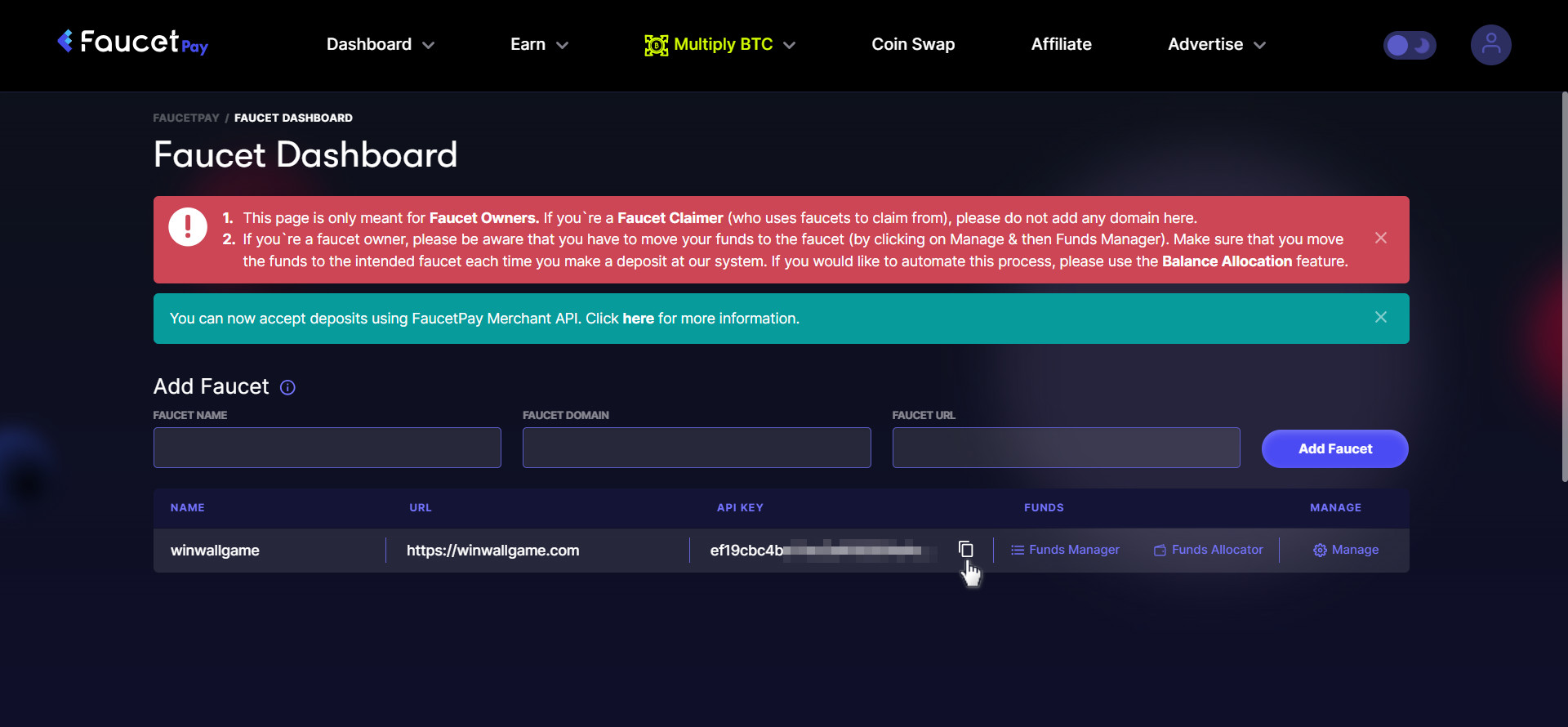
Copy Your New API Key
Once the API key is successfully generated, it will be displayed on your screen.
- Locate the generated API key string.
- Carefully highlight the entire key and copy it to your clipboard.
- Keep it secure and do not share it openly, as it grants programmatic access to your FaucetPay application.
Tip: Always test the copy to ensure no surrounding white spaces are included!
3
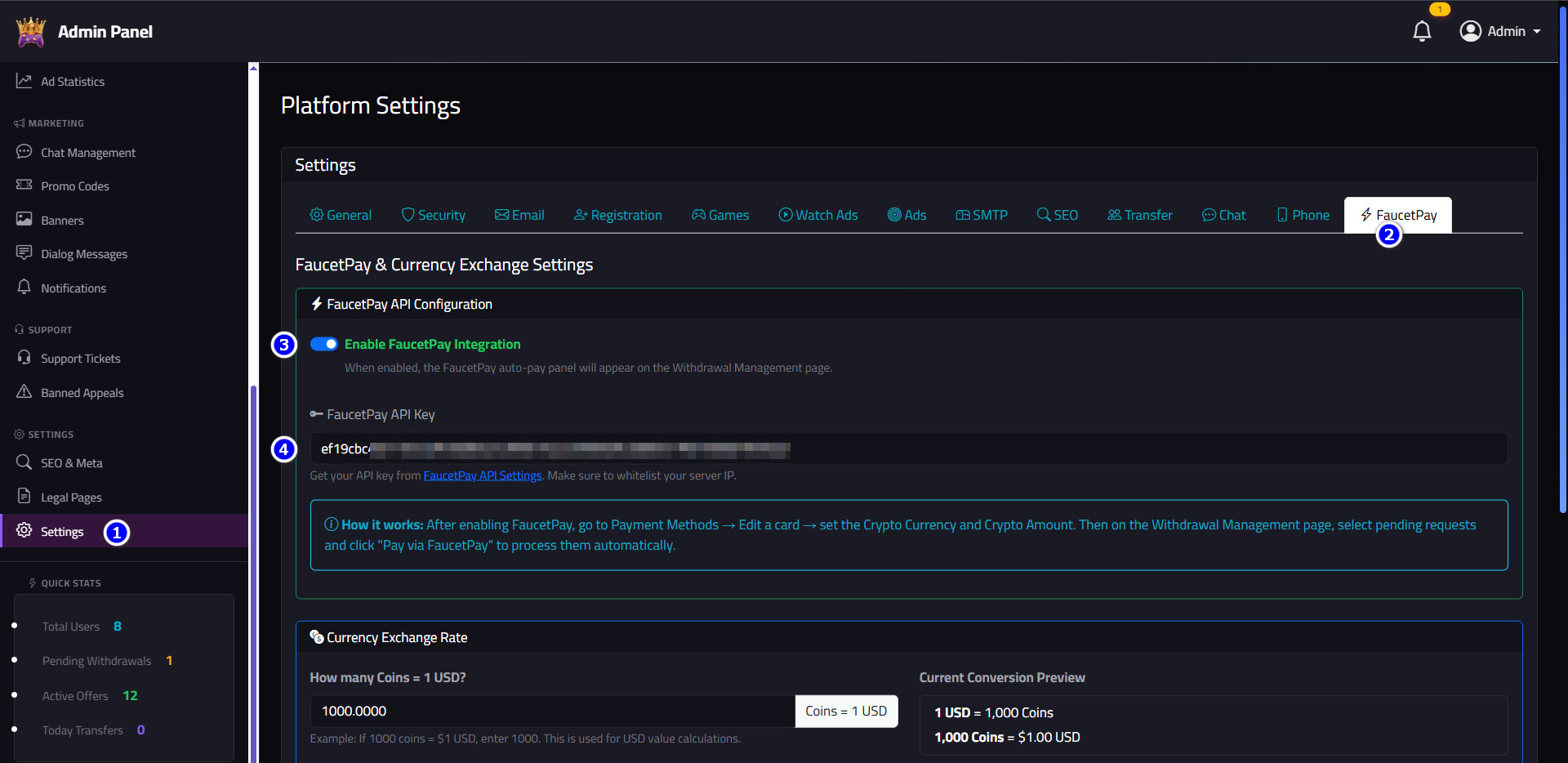
Paste Key in Your Project Dashboard
Integrate the API Key into the dashboard of the project you are building and selling.
- Open your project's admin control panel or dashboard.
- Navigate to the Settings or Payment Gateways configuration page.
- Find the FaucetPay API Key input field.
- Paste your copied API key from Step 2 into this field.
- Click Save Changes or Update to apply the configuration.
🎉 Congratulations! Your FaucetPay integration is now complete and your project can safely interact with the FaucetPay API.